Like a King Unblocked — Play Free Online
More Strategy & Battles games


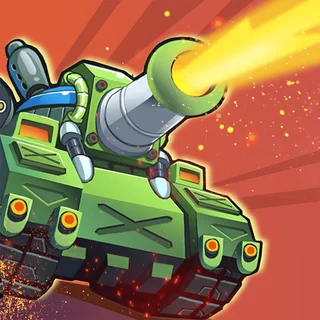


Like a King unblocked: play Like a King online free right here in your browser — no download, no sign-up, works on a school Chromebook.
Like a King combines real-time lane battles with tactical base building and card management. Instead of watching towers fire automatically along a fixed track, you establish a forward military camp, harvest resources, and deploy waves of warriors to crush the opposing king's castle.
Each match plays out as a fast-paced tug-of-war across open territory. Constructing a gold mine in the opening moments establishes your long-term economy, but sinking too much gold into infrastructure leaves your defenses vulnerable to swift enemy charges. Balancing defensive structures against sustained offensive pushes keeps every skirmish engaging and unpredictable.
For visitors of Pokémon Tower Defense who enjoy tactical placement and strategic decision-making, Like a King provides an aggressive counterpart to traditional tower defense games. You are not only holding off incoming waves; you are reading your opponent's moves, finding gaps in their formation, and pushing forward to secure the realm.
How to play
Matches are controlled entirely using the mouse or touchscreen. Choose unit or building cards from your bottom tray, then click an open grid space on your side of the map to construct them or release units into the lane.
A standard match follows a distinct tactical progression:
- Establish steady income: Build gold mines on available plots early to support continuous troop recruitment throughout the match.
- Hold the frontline: Place guard towers near key bottlenecks to defend against aggressive early rushes while your main army gathers strength.
- Deploy unit combinations: Send sturdy melee brawlers down the path supported by archers or spellcasters to break enemy lines.
- Destroy the enemy castle: Escort your troops across the board until they reach the rival fortress and drain its remaining health.
- Upgrade your card collection: Use the gold and rewards earned from successful conquests to upgrade unit stats and unlock specialized abilities.
Battle tips
- Secure resources before attacking: Rushing units without an established mine can starve your forces of reinforcements when the enemy counterattacks.
- Time your troop pushes: Sending single soldiers often feeds easy gold to enemy towers. Group multiple units together so melee troops shield your ranged damage dealers.
- Scout opposing placements: Watch which lanes and structures the enemy king prioritizes, then place targeted defenses to counter their primary damage sources.
- Invest in card upgrades between stages: Upgraded troops gain significant health and attack bonuses that prove vital against tougher campaign bosses.
Similar games on Pokémon Tower Defense
Players who enjoy the strategic lane warfare of Like a King will find several matching titles on Pokémon Tower Defense. Age of War delivers classic multi-era lane battles with evolving civilizations. King Rugni Tower Conquest offers fantasy tower defense mechanics with special abilities, while Castle Defender Saga focuses on defending a stronghold against waves of invaders.
Like a King runs smoothly in any modern web browser on desktop computers, laptops, Chromebooks, and mobile devices without requiring downloads or account registration.
Questions about Like a King
Is Like a King unblocked at school?
Like a King runs in an ordinary browser tab from pokemontowerdefense.org, with nothing to download or install, so it plays on most school Chromebooks and work computers. If a network filter blocks the site, only that network's administrator can change it.
How do you control units in Like a King?
You control the battlefield using the mouse or touchscreen. Click cards from the deck at the bottom of the screen to place mines, towers, or attacking units onto the board.
Does Like a King save your campaign progress?
Yes, your unlocked cards, unit upgrades, and campaign level progression are saved automatically in your local browser storage so you can resume anytime.
Can you play Like a King on Chromebooks and mobile devices?
Yes, Like a King is built with HTML5 technology and runs directly in any modern desktop, laptop, Chromebook, or mobile web browser without downloads.